Passed MD-102: Microsoft 365 Certified Endpoint Administrator Associate
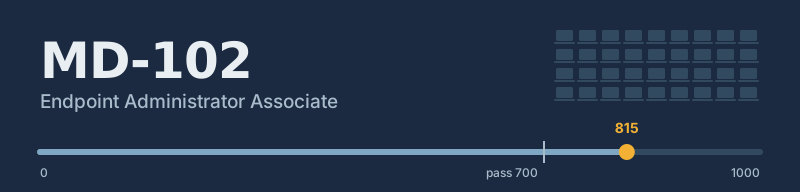
On Friday 16 October 2026 I sat MD-102: Managing and Securing Microsoft 365 Endpoints by using Intune and passed with a score of 815 (the pass mark is 700). That completes the requirements for Microsoft 365 Certified: Endpoint Administrator Associate.
I genuinely expected not to pass. Several questions covered parts of Intune we either don't use or aren't licensed for, and I'd only spent a limited amount of time on those topics on Microsoft Learn. Passing anyway, without using Learn during the exam, feels like good evidence of what long-term practical experience gives you.
Why this one
I earned an exam voucher for completing one of the Microsoft Learn summer challenges, and used it to book MD-102. Most of my day-to-day work is managing a Windows fleet across a multi-academy school trust with Intune and Autopilot — enrolment, configuration, app deployment, compliance, and the Proactive Remediations work I've written about here — so it was the natural exam to spend the voucher on.
The plan was to spend some time working through the content first. In the end I didn't spend as much time on it as I'd intended, and went in relying largely on my experience and knowledge.
The exam
I took it as an online proctored exam. The skills measured by MD-102 are split into five areas, weighted as follows:
| Skill area | Weighting |
|---|---|
| Prepare infrastructure for devices | 20–25% |
| Manage and maintain devices | 25–30% |
| Protect devices | 15–20% |
| Manage and secure applications | 15–20% |
| Optimize endpoint operations by using automation, monitoring, and reporting | 10–15% |
Microsoft Learn during the exam: what the docs say vs what the proctor said
Microsoft's Exam duration and exam experience page says that on associate and expert role-based exams you can open Microsoft Learn from a button in the exam's left navigation pane. It opens in a split screen beside the question, can be expanded to full screen, and supports multiple tabs. Browsing is limited to the learn.microsoft.com domain, with Q&A, Practice Assessments and your profile blocked. No extra time is added, and the exam timer keeps running while you use it. It isn't available on Fundamentals, GitHub or MOS exams.
Before the exam started, I noticed a Microsoft Learn link in the OnVUE client, so I asked on the proctor chat whether I was allowed to use it during the exam. The proctor said I couldn't.
I went with the proctor's answer and passed the exam without using Microsoft Learn. Going by Microsoft's own documentation, I may well have been allowed to use it.
The score report
The score report gives a bar per skill area rather than a number. My strongest areas were Prepare infrastructure for devices and Optimize endpoint operations by using automation, monitoring, and reporting. Protect devices came next, with Manage and maintain devices and Manage and secure applications a little behind.
Microsoft is explicit that these bars shouldn't be over-read: section lengths can't be converted into question counts, can't be combined into an overall percentage, and the exam wasn't designed to give diagnostic feedback — only a pass/fail decision. So I'm treating them as a rough pointer for where to keep learning rather than a verdict.
Renewal
The certification is valid until 17 October 2027. Microsoft associate certifications are renewed each year by passing a free, unproctored online renewal assessment on Microsoft Learn, which opens in the six months before expiry.
Verify
The credential can be verified on my Microsoft Learn profile.